
Listing boosts
A boost runs your listing as a Facebook and Instagram ad for people who live near you. We build the ad from your listing, send it to Facebook for review, and run it for the days you choose. You pick where it shows and for how long. We handle the rest. Every listing comes with a $45 boost credit, so a boost up to $45 costs you nothing.What your ad looks like
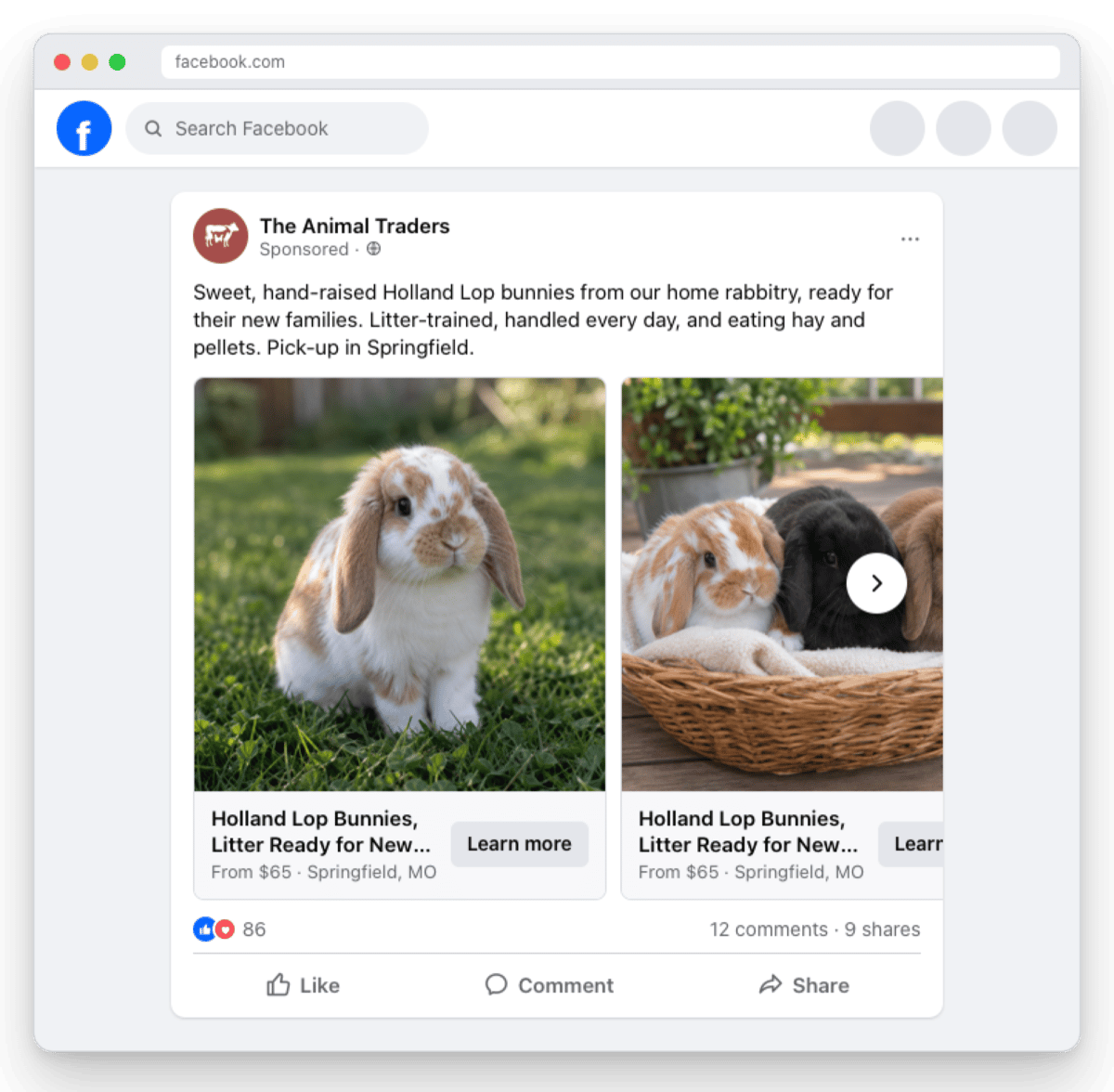
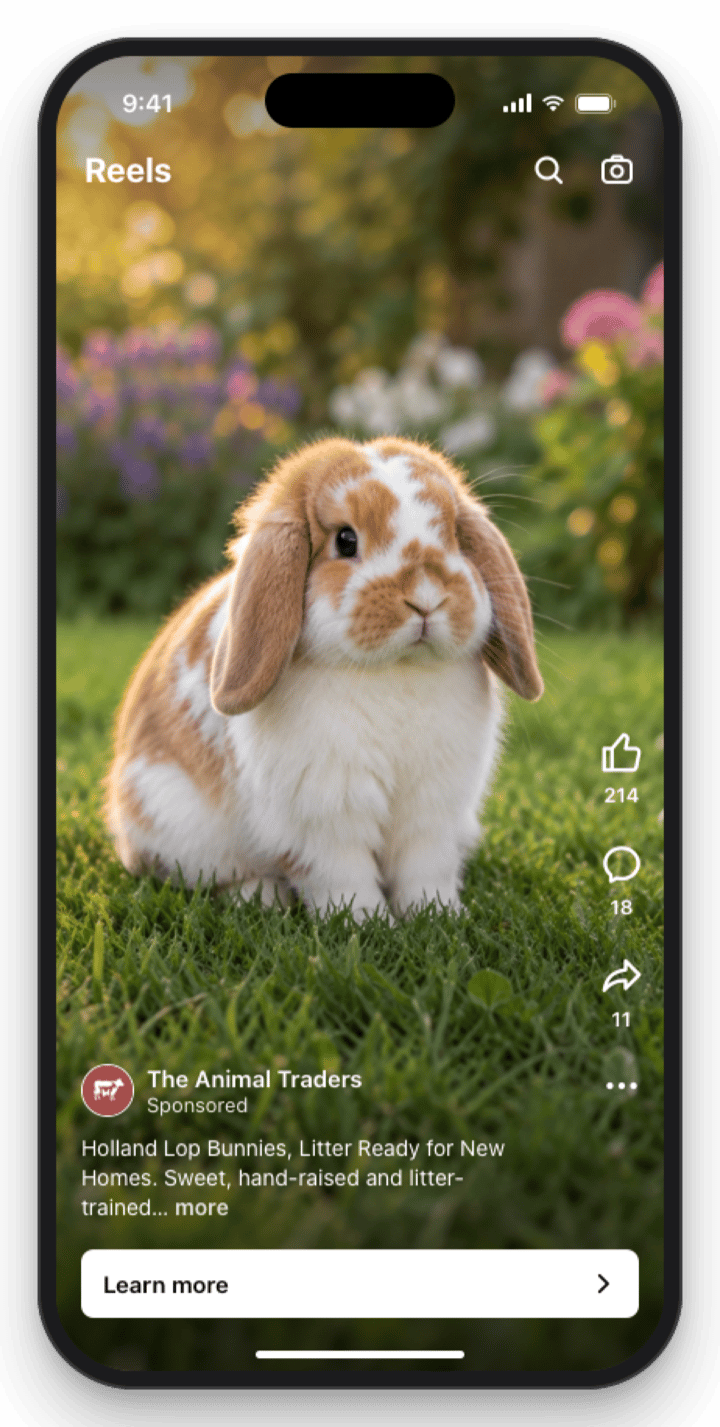
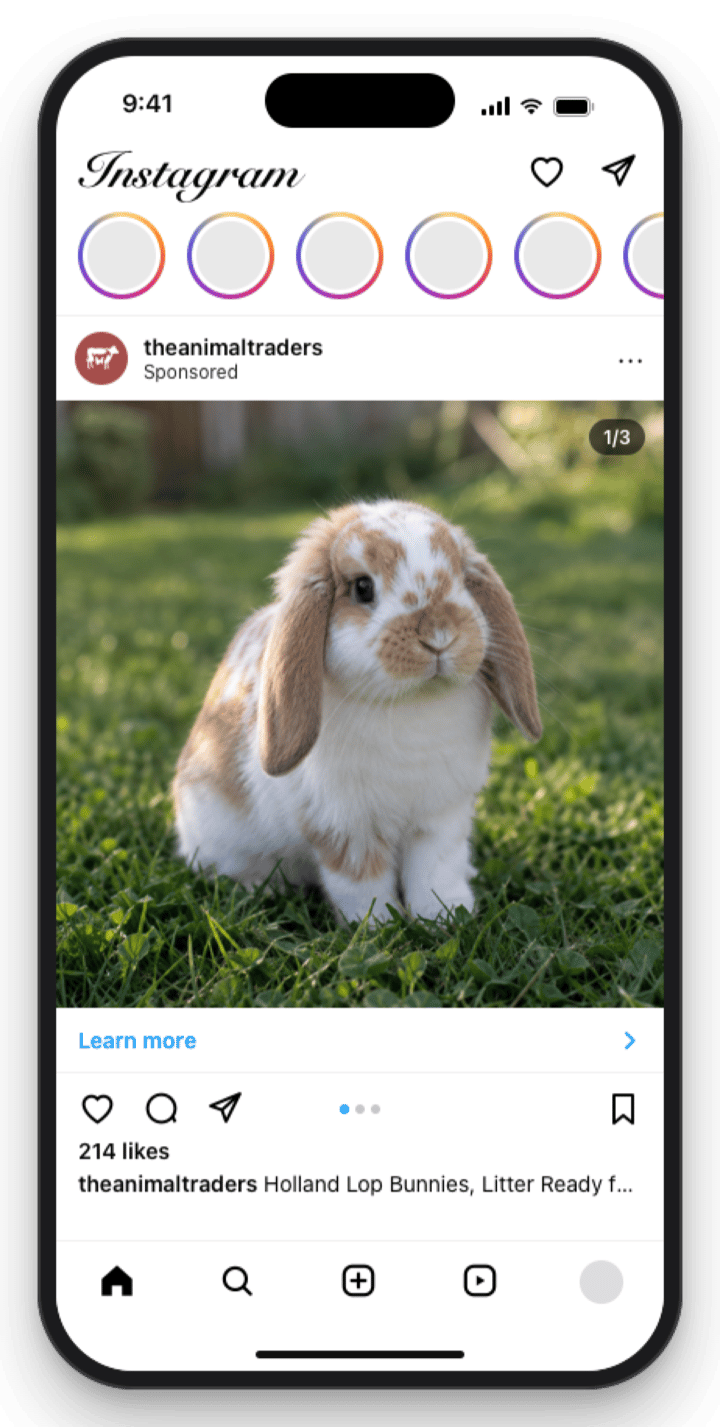
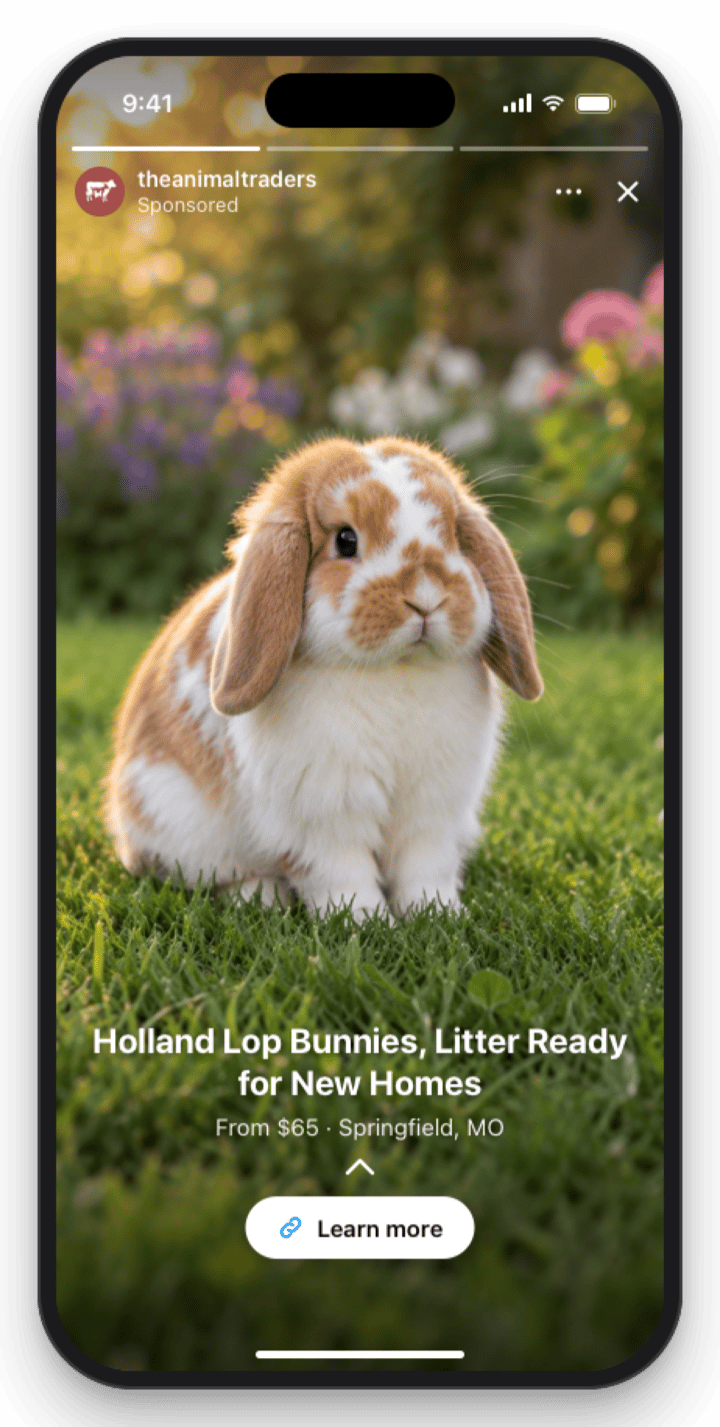
The ad uses your listing’s title, description, photos and videos, in the order you set them. With two or more photos or videos it’s a carousel people can swipe through, up to 10 cards. Each card shows your listing title, the price and your town, with a Learn more button that opens your listing in The Animal Traders. Facebook chooses where each ad shows: in the Facebook feed on phones and computers, in Reels, in the Instagram feed, or in Stories. These examples show one sample listing in each place.- Facebook (phone)
- Facebook (computer)
- Facebook Reels
- Instagram feed
- Instagram Story
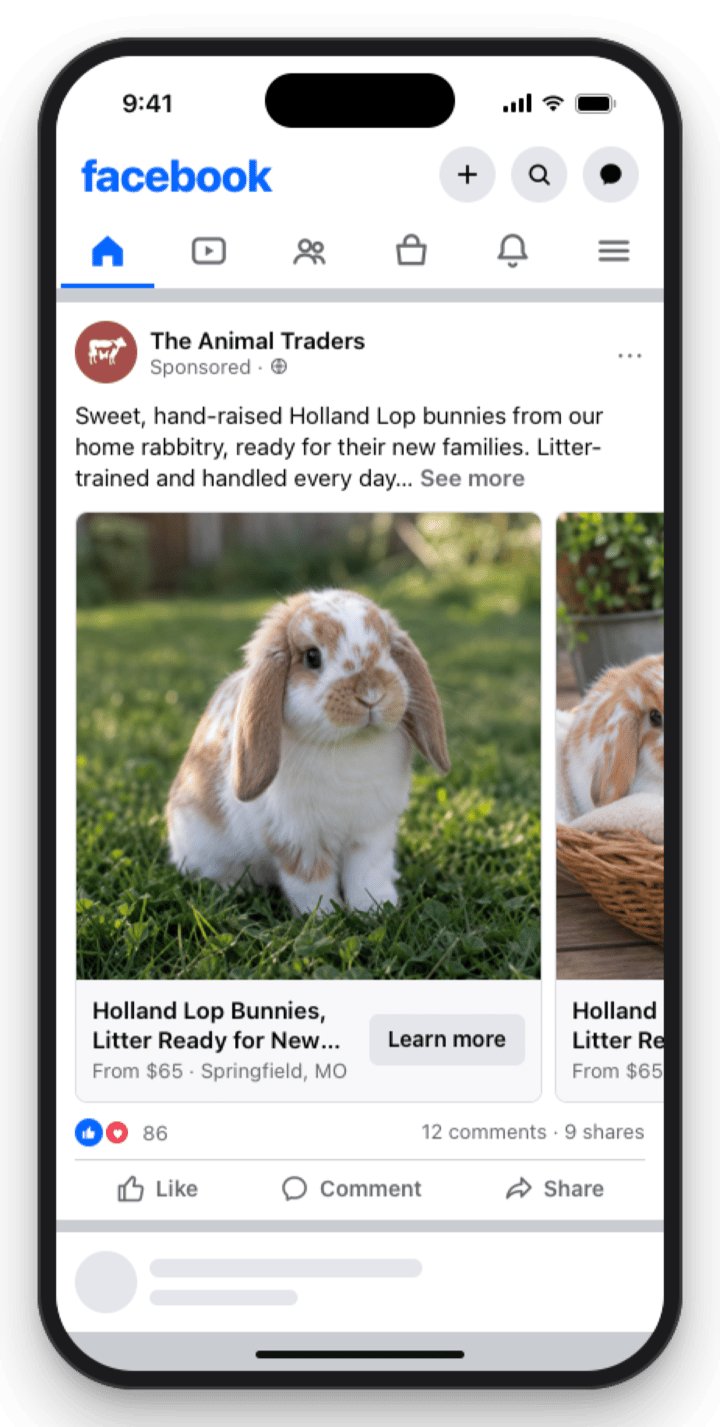
Facebook feed on a phone. The carousel shows one card at a time; people swipe for your other photos.
What it costs
You choose an area and a length. The price covers the ad spend plus our fee for setting up and running the ad. Each area is measured from your listing’s pickup location, and the app names your own town and state, for example “Within 50 miles of Springfield, MO”.Your boost credit
Each listing comes with a $45 boost credit:- A boost up to $45 is free. That’s any Quick boost, or a Standard boost in your local area.
- A bigger boost costs $45 less. A Max boost in your local area costs $45 instead of $90.
- One credit per listing. Once a boost uses it, the next boost on that listing is full price.
- You get it back if your ad doesn’t run. If Facebook doesn’t approve the ad, or it can’t be set up, the credit returns to the listing.
Choose where your ad shows
The ad is shown to people who live in the area you pick. Each area is measured from your listing’s pickup location.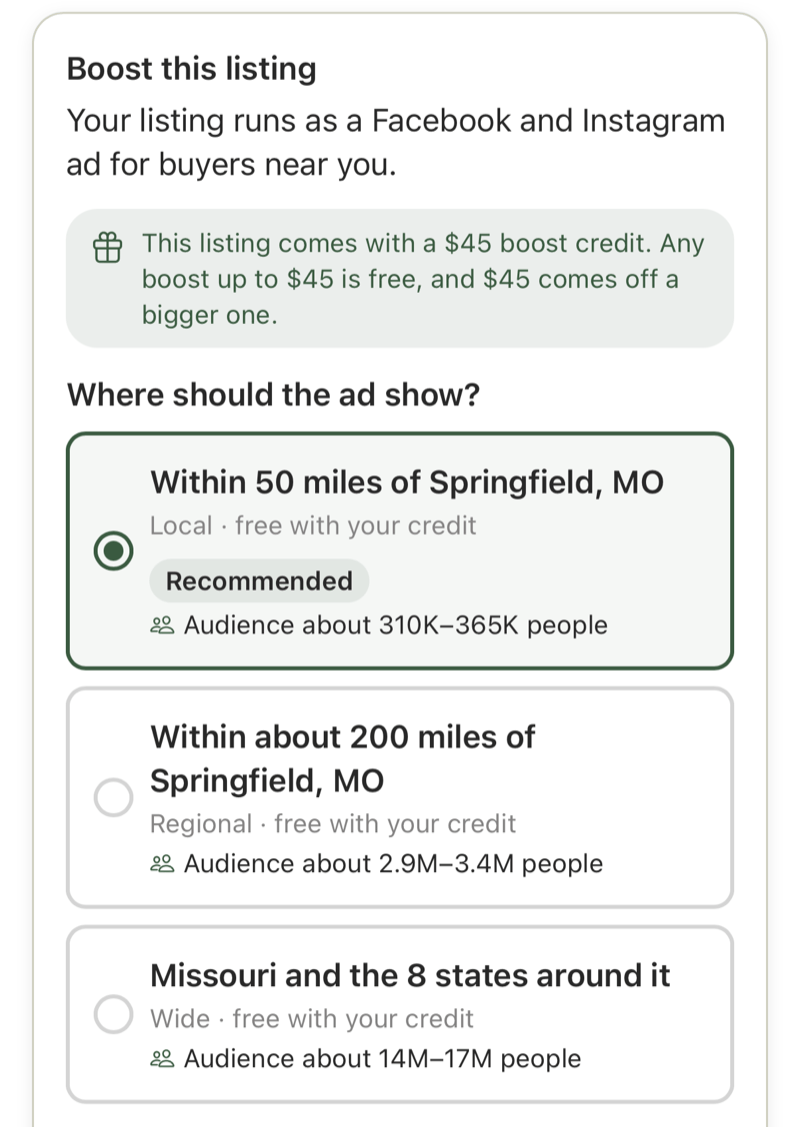
Pick where the ad shows. Each area shows its audience, and the credit note at the top tells you what's free.
Choose how long it runs
Pick Quick (3 days), Standard (7 days) or Max (14 days). A longer boost reaches more people and shows your ad to them more often.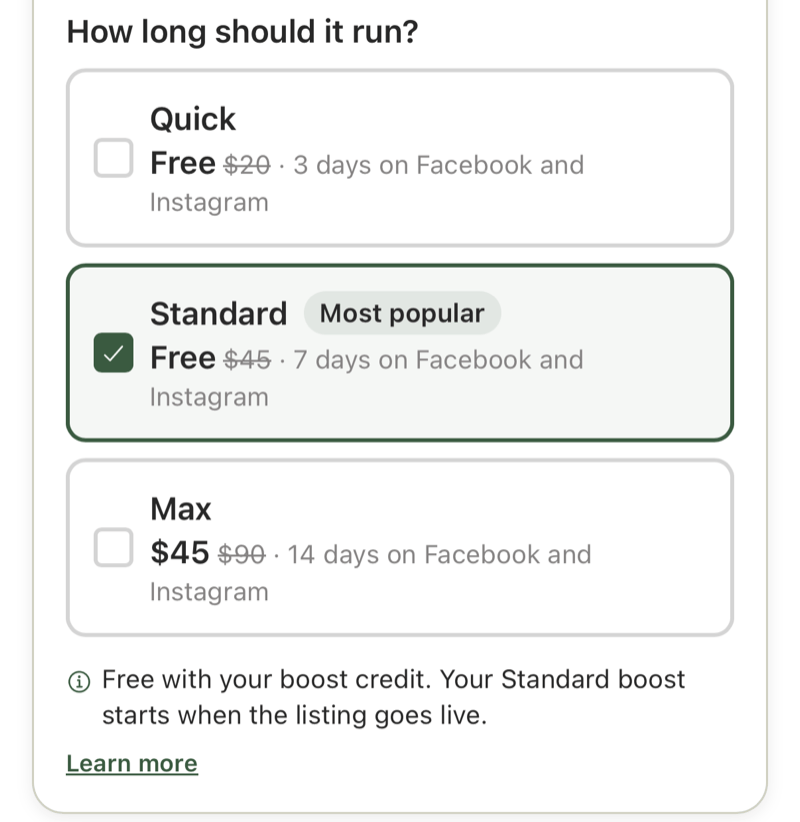
Pick a length. With the credit, Quick and Standard are free in the local area and Max costs $45.
Boost when you publish
On Step 5 (Review & Activate), tap Promote on Facebook & Instagram and pick an area and a length.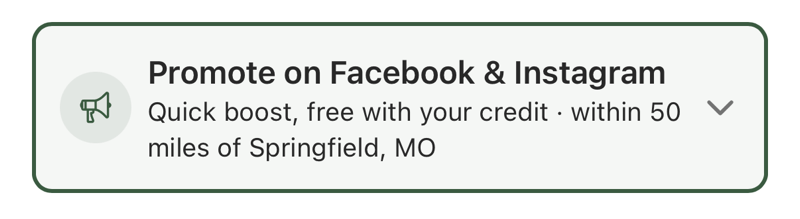
The boost row on Step 5 shows what you picked. Tap it to change the area or the length.
- A boost the credit covers is listed in the pricing summary as free. It starts when your listing goes live.
- A bigger boost is added to the same checkout as your listing fee, less your $45 credit. Stripe Checkout shows the listing fee and the boost as two lines. The boost starts when your listing goes live.
Boost a live listing
Open the listing in Manage Listing and tap Boost this listing. Pick an area and a length the same way. A boost the credit covers starts right away; anything else opens Stripe Checkout for what’s left to pay.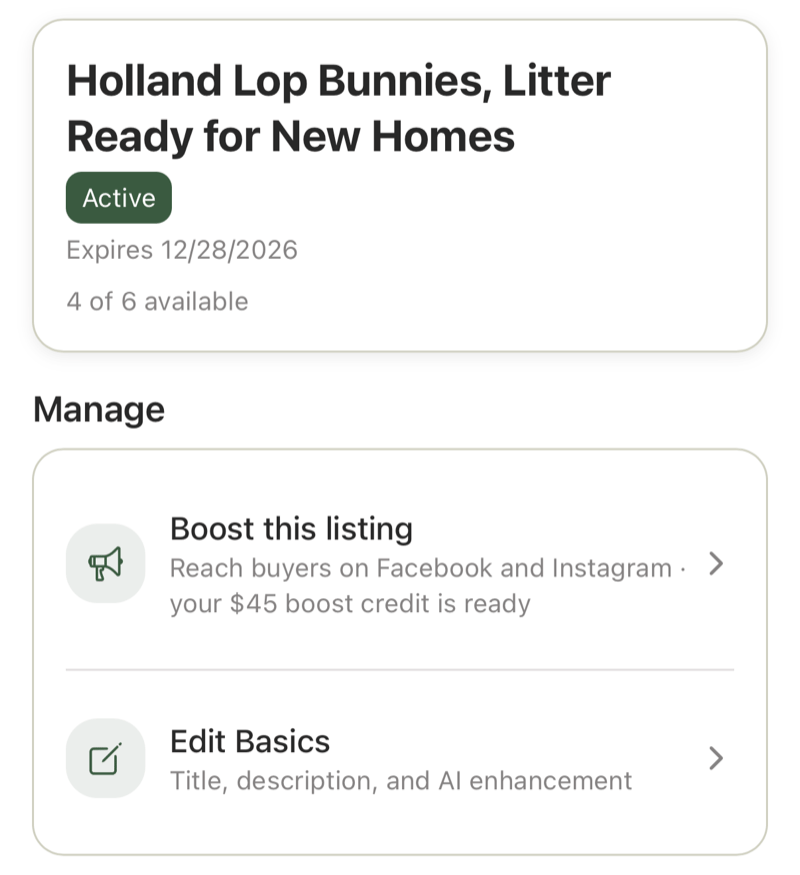
Boost this listing on Manage Listing. While the listing still has its credit, the row says so.
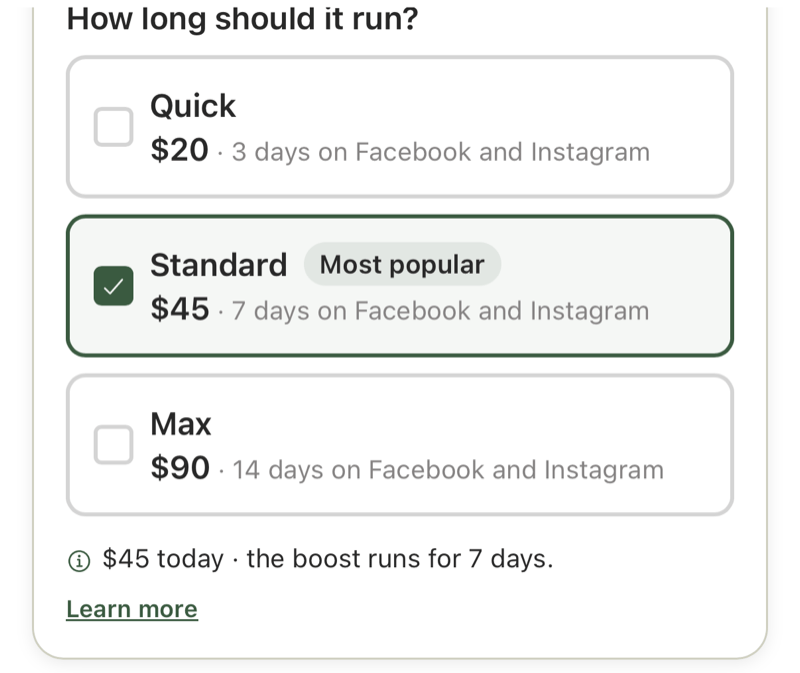
Once the credit is used, the picker shows full prices and what you pay today.
What a listing needs before it can be boosted
- It’s active
- It has at least one photo
- It has a pickup location
- It doesn’t already have a boost running. A listing runs one boost at a time
Follow your boost
After you start a boost, Manage Listing shows a badge next to your listing’s status, with a note about what’s happening.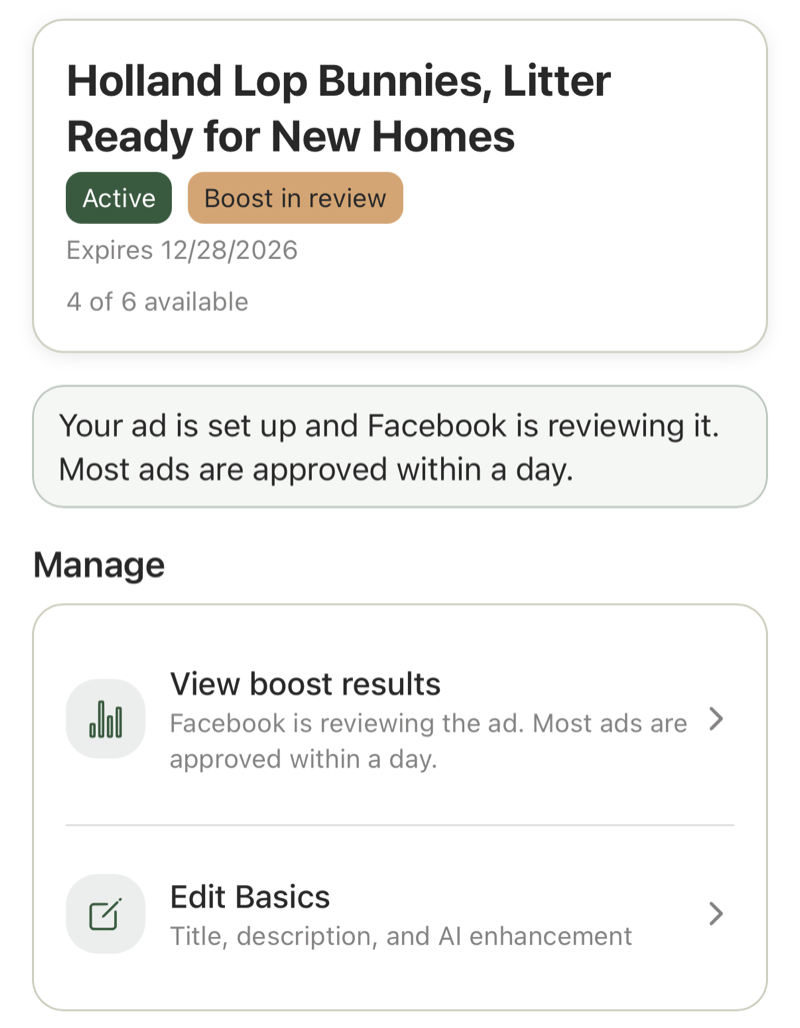
Facebook reviews every ad first. Most are approved within a day.
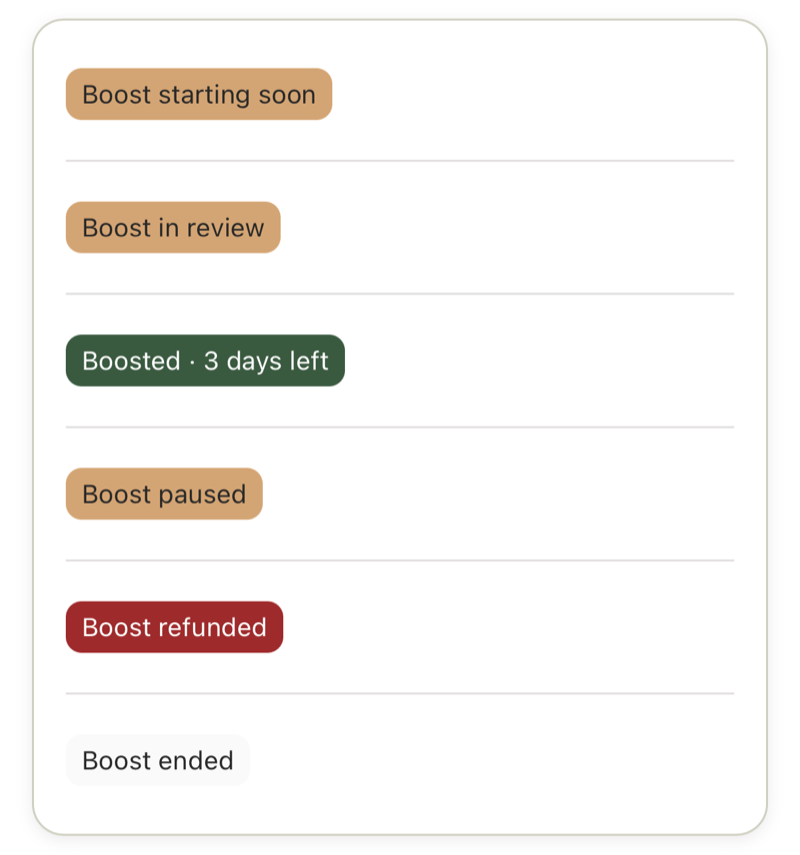
The boost badges you can see on Manage Listing.
Your results
Tap View boost results on Manage Listing to see how your boost is doing.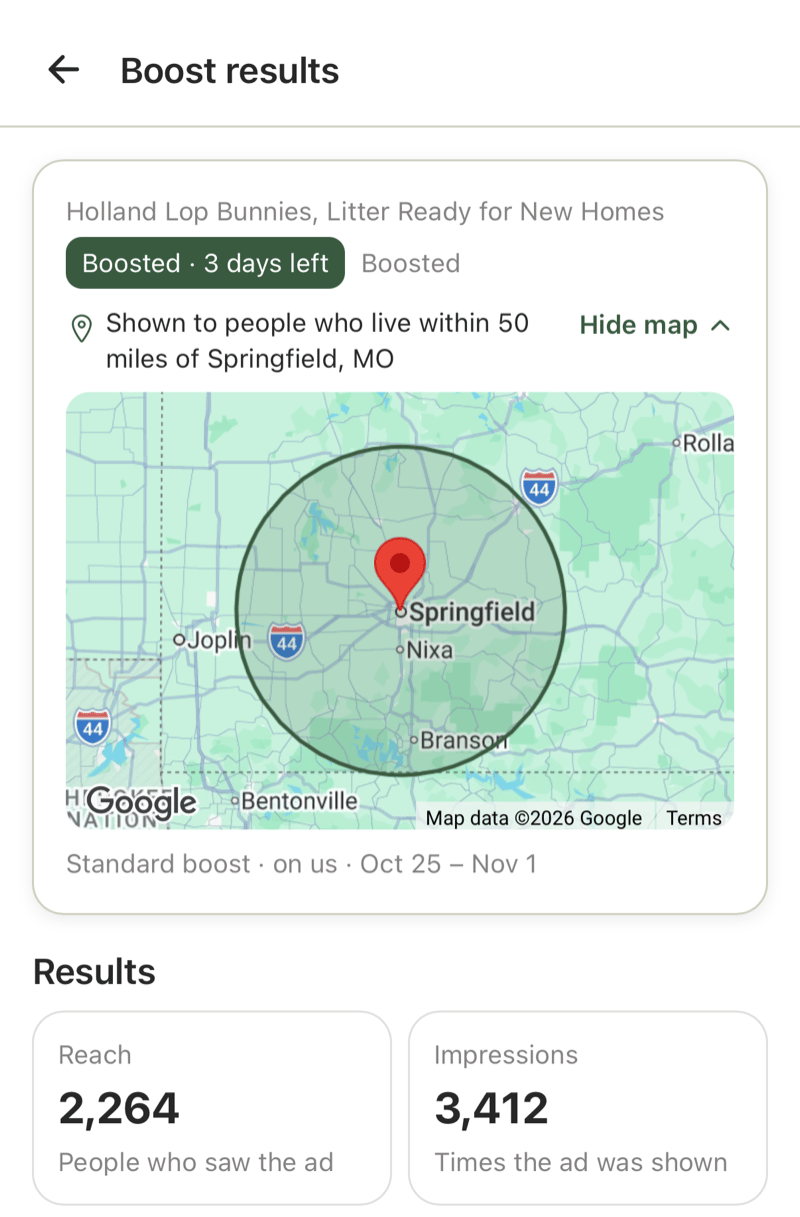
Example results. The map shows the area your ad runs in. Numbers update every few hours.
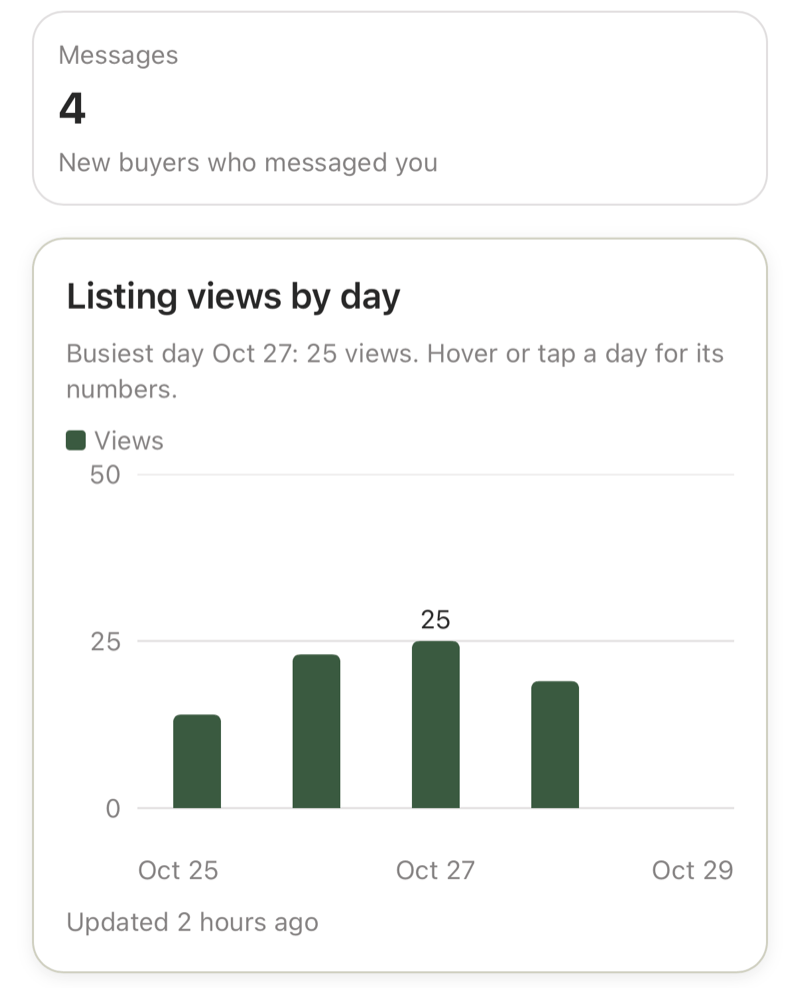
Example chart of listing views from the ad, by day.
What pauses a boost
Your ad stops when your listing stops being active:- Sold out: you marked every animal sold
- Expired: the listing window ended
- Under review: the listing is on hold while our team looks at it
Rejected or failed ads
Facebook reviews every ad. If it doesn’t approve yours, or the ad can’t be set up:- You get a refund of what you paid for the boost, to the card you paid with. Your bank may take a few days to show it.
- Your $45 boost credit comes back to the listing.
- Your listing fee isn’t refunded. Your listing stays live and isn’t affected.
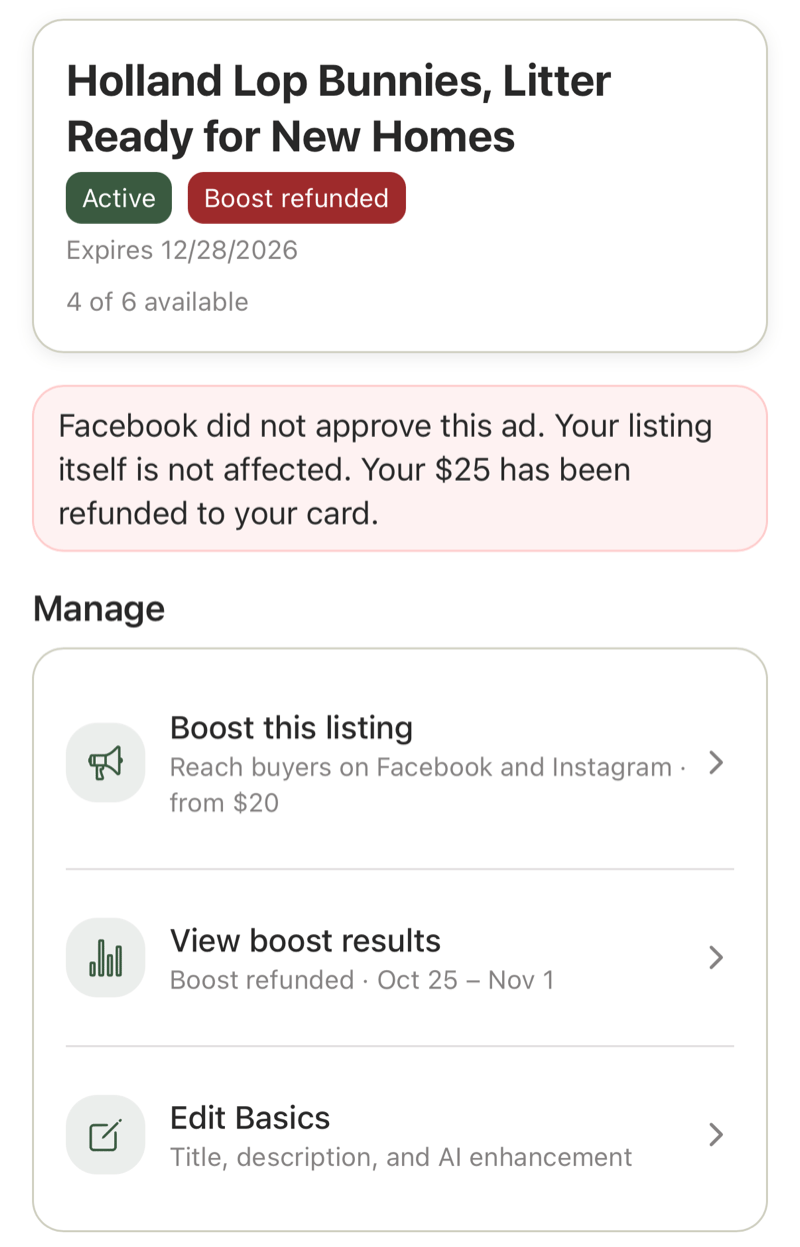
When an ad isn't approved, Manage Listing tells you and confirms the refund.
Boosting an organization’s listings
Organization Admins and Managers can boost the organization’s listings, from Step 5 when they publish and from Manage Listing afterward. Staff can’t. See Organization roles. The $45 credit belongs to each listing, whoever on the team uses it. A boost is charged at the same price for every seller. A nonprofit that lists for free still pays for boosts.Your privacy
To run the ad we share your listing’s title, description, photos, videos, price, town and approximate pickup point with Meta (Facebook and Instagram). A boost doesn’t send Meta your exact address, your email or your phone number. We keep your boost’s results so you can see them later. See the Privacy Policy.Related
- Boosts & Browse Spotlight: how a boost differs from the Browse spotlight
- Listing fees, Extend, and Renew: the Step 5 checkout
- Manage published listings: everything else on Manage Listing